
HOW-TO: Check Direct Debit Enrollment Status @ PBBe via DDARPT File
MyClear Direct Debit’s customer must approved by MyClear and customer’s bank before perform any transaction/Auto Debit, otherwise all transaction will be rejected.
Direct Debit Approval Duration
Time required for all parties to complete the approval process as below:
1. Merchant (PBB) – Customer (PBB) : less than 7Days
2. Merchant (PBB) – Customer (Non-PBB) : 7Days to 14Days
Once submitted Direct Debit Authorization (DDA) Form to appointed bank’s branch, you will be able to check the application status in PBBe Internet Banking portal. Kindly notice to the time duration required for the approval process to complete.
1 Public Bank : DDA REPORT
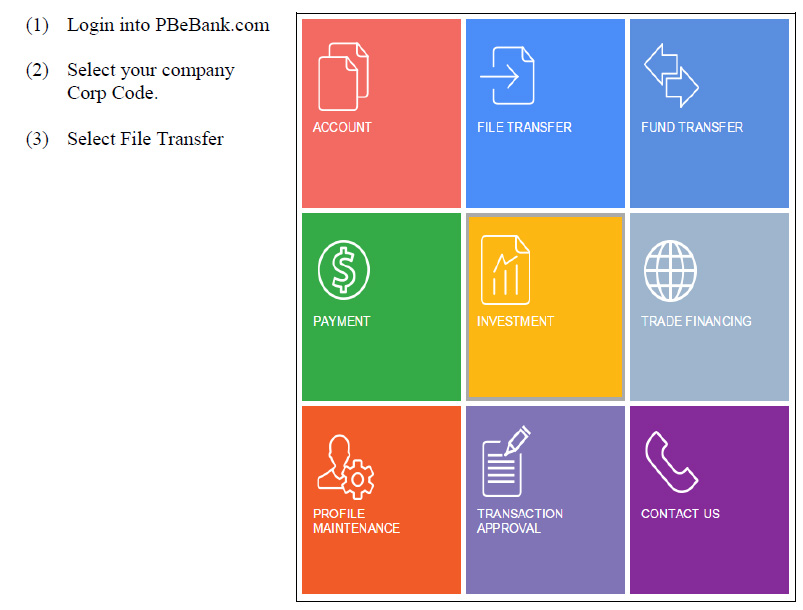
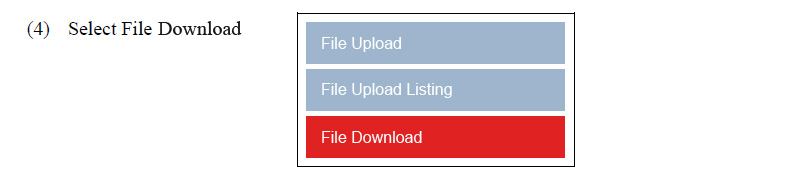
Locate and Download DDA Report Status file ( PBBABCDDARPT(DDMMYY)01.txt file that file size larger than 3612 bytes ). (ABC – Merchant’s Name)
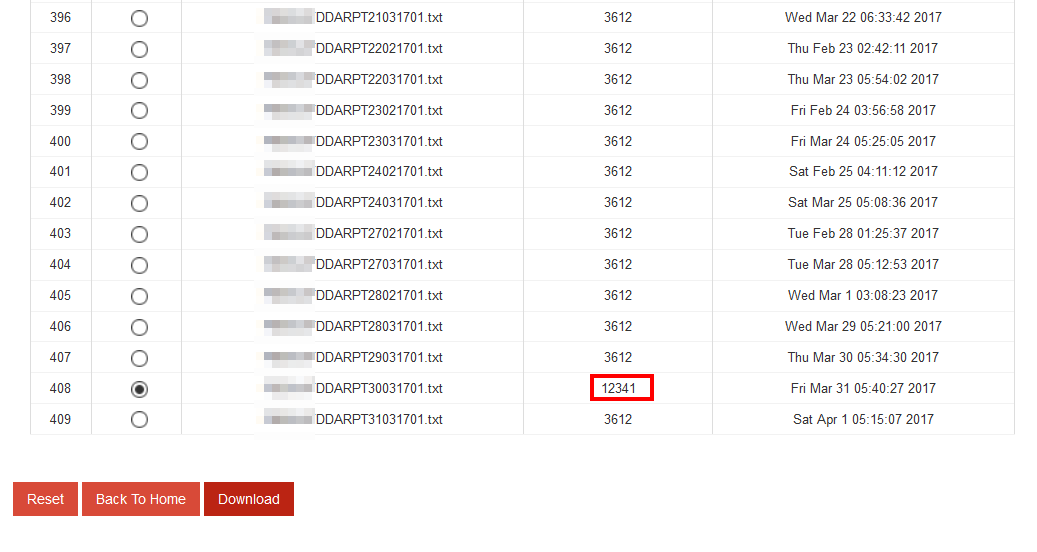
The reports consist application status of Direct Debit Authorization (DDA) form that completed the approval review process.
